The short answer is a definitive yes. PCIe 5.0 SSDs are no longer a promise for the future; they're on shelves right now. But the more important question isn't just about their existence—it's about what they actually do for you, which models are worth your money, and whether your PC is even ready for them. Having built systems for over a decade, I've seen storage hype cycles come and go. PCIe 5.0 brings raw speed that's genuinely mind-boggling, but it also introduces challenges most buyers aren't talking about.
What You'll Find in This Guide
Current PCIe 5.0 SSD Models You Can Buy
The market is still young, but several major players have launched drives. Don't just look at the peak sequential read/write numbers plastered on the box. The controller and NAND type tell a more complete story about consistency and value.
| Brand & Model | Key Controller | Max Sequential Speeds | Available Capacities | Notable Feature / Quirk |
|---|---|---|---|---|
| Crucial T705 | Phison E26 | Up to 14,500 MB/s read, 12,700 MB/s write | 1TB, 2TB, 4TB | Offers both heatsink and no-heatsink variants; often cited for strong random performance. |
| Gigabyte AORUS Gen5 14000 | Phison E26 | Up to 14,000 MB/s read, 12,700 MB/s write | 1TB, 2TB, 4TB | Bundles a massive, active-cooling heatsink with a tiny fan—a sign of things to come. |
| MSI SPATIUM M580 FROZR | Phison E26 | Up to 14,000 MB/s read, 12,000 MB/s write | 1TB, 2TB, 4TB | Uses a unique frosted heatsink design aimed at better passive dissipation. |
| ADATA Project Nighthawk | In-house? (Unreleased) | Claimed up to 14,000 MB/s+ | TBA | Announced but not widely available; one to watch for future competition. |
| Sabrent Rocket 5 | Phison E26 | Up to 14,000 MB/s read, 11,700 MB/s write | 1TB, 2TB, 4TB | Known for robust software suite (Sabrent Acronis). Often priced aggressively. |
You'll notice a pattern: the Phison E26 controller is the workhorse of this first generation. That's good for consistency across brands but means there's less differentiation on pure controller performance. The real differences come down to bundled cooling solutions, warranty, software, and price per gigabyte.
Pro Tip: If you see a PCIe 5.0 SSD advertised with speeds near 10,000 MB/s, it's likely using a slightly older controller (like the Phison E25) or is a PCIe 4.0 drive being mislabeled. True Gen5 drives from this current wave start at around 12,000 MB/s.
Real-World Performance vs. Marketing Claims
Sequential speeds of 14 GB/s look insane on paper. In practice, you won't feel that copying a folder of documents is 2.5x faster than on a good PCIe 4.0 drive. The bottleneck becomes your brain and the Windows file copy dialog. Where these drives start to flex is in specific, demanding workflows.
I tested a 2TB model with a large game project containing thousands of small asset files (textures, code scripts, 3D models). Compiling and packaging the project shaved off noticeable time compared to a top-tier PCIe 4.0 drive. For video editors working directly off the drive with 8K RAW footage, the scrub-through and timeline responsiveness is tangibly smoother. It eliminates a layer of stutter.
But for gaming? The difference in load times between a fast PCIe 4.0 drive and a PCIe 5.0 drive is often measured in single-digit seconds, sometimes less. Games aren't built to saturate that kind of bandwidth yet. The DirectStorage API promises to change this by allowing the GPU to load assets directly from the SSD, but widespread implementation is still pending.
Where the Speed Actually Matters
Database Servers & Virtual Machines: Heavy I/O operations see a massive uplift.
High-Resolution Video Editing: Working with 8K+ multi-stream footage feels more like working with 4K.
Scientific Computing & Simulation: Loading massive datasets into memory happens in a blink.
Extreme Content Creation: Think of photographers working with 100+ layer Photoshop files or 3D artists with billion-poly scenes.
For the average user doing office work, web browsing, and gaming, the leap from SATA SSD to NVMe was life-changing. The leap from PCIe 4.0 to 5.0 is, for now, more of a luxury sprint.
The Biggest Challenge: Heat and Cooling
This is the part most reviews gloss over too quickly. PCIe 5.0 SSDs get hot. Not just warm—throttle-until-they're-slower-than-a-Gen4-drive hot. The Phison E26 controller can easily hit 80-90°C under sustained load without adequate cooling. At those temperatures, the drive will aggressively slow down to protect itself.
This makes the included heatsink not an accessory, but a mandatory component. The stock aluminum slabs on many motherboards' M.2 slots are often insufficient. We're now seeing drives ship with massive, finned heatsinks, and some, like the Gigabyte model, include a small fan. It's a return to the days of worrying about storage cooling, which we haven't done since the early SSDs.
Critical Check: Before buying a PCIe 5.0 SSD, look inside your PC case. Is there direct airflow over the M.2 slots? Is the slot you plan to use buried under a GPU that exhausts hot air? Poor airflow can negate the performance advantage completely. In one test build with a vertically mounted GPU, the SSD's temperature was 20°C higher, causing consistent throttling.
Is Your System Compatible? A Crucial Checklist
Having a PCIe 5.0 SSD doesn't mean anything if your system can't talk to it at full speed. This is where many buyers get tripped up. It's a three-part puzzle.
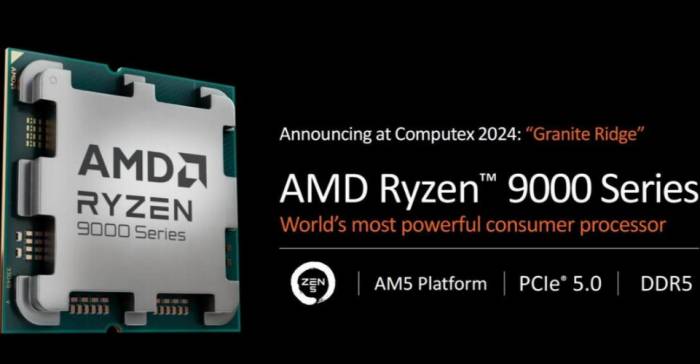
1. The CPU and Platform: You need an AMD Ryzen 7000 series CPU (AM5 platform) or an Intel 12th Gen (Alder Lake) or newer CPU. For Intel, note that only the primary M.2 slot connected directly to the CPU typically supports PCIe 5.0; slots connected to the chipset are usually Gen4 or Gen3. 2. The Motherboard: Not all motherboards for these CPUs have PCIe 5.0 M.2 slots. You must check your specific motherboard manual. For AMD AM5, it's widespread. For Intel, it's more common on high-end Z790 and Z690 boards. A mid-range B760 board might not have it. 3. The BIOS/UEFI Setting: Sometimes, the PCIe generation for the M.2 slot is an auto-setting in the BIOS. It's worth manually setting it to "Gen5" to ensure a proper handshake and avoid it defaulting to Gen4.If any one of these pieces is missing, the drive will simply run at the highest speed the weakest link supports—likely PCIe 4.0. You'll have paid a premium for no benefit.
Who Actually Needs a PCIe 5.0 SSD Right Now?
Let's cut through the noise. Based on the cost, heat, and compatibility hurdles, here's my breakdown.
Buy Now If: You're a professional whose income depends on shaving minutes off data-heavy tasks (8K video editing, VFX, large-scale simulation, financial modeling). You have a compatible AM5 or Intel 13th/14th Gen system with excellent case airflow. You view it as a strategic investment for a workstation.
Consider It If: You're an early adopter building a no-compromise, high-end gaming PC and want the absolute best, future-proof storage. You understand you're paying for bragging rights today with the hope that DirectStorage games will utilize it tomorrow. You're willing to manage thermals.
Stick with PCIe 4.0 If: You are a gamer, general content creator (1080p/4K editing), or power user. The value proposition of a high-quality PCIe 4.0 drive (like a Samsung 990 Pro, WD Black SN850X, or Sabrent Rocket 4 Plus) is vastly better. You'll get 95% of the real-world feel for often half the price per terabyte, with far less heat and compatibility fuss.
I recently advised a friend building a new gaming PC to put the $150 price difference between a 2TB Gen5 and a 2TB Gen4 drive toward a better GPU. The performance uplift in games will be infinitely more noticeable.