You're building or upgrading a gaming PC, and you've hit the storage section. The choice seems simple: get an SSD. But then you see "Gaming SSD" models, often with flashy heatsinks and premium price tags, sitting right next to "regular" SSDs. Is it just marketing, or is there a real, tangible difference that affects your gameplay? The short answer is yes, but not in the way most product pages scream about. The biggest difference isn't just the top speed number they advertise; it's how the drive handles the chaotic, random data requests games throw at it every second.
What You'll Learn
Forget the Big Number: Why Sequential Speeds Are a Gaming Red Herring
Every SSD box screams "7000 MB/s Read!" That's sequential speed—copying one huge, continuous file. It's great for video editors. Games, however, are a mess of thousands of tiny files—textures, audio clips, level data, character models. Loading a game area is like a librarian fetching 10,000 different books from random shelves, not moving one encyclopedia set from A to B.
This is called random read/write performance, measured in Input/Output Operations Per Second (IOPS). A high-quality gaming SSD is optimized for this chaos. A regular SSD, especially a budget SATA or DRAM-less NVMe model, might have decent sequential numbers but can stumble under this random load, causing micro-stutters when new assets stream in.
A Real-World Scenario
Imagine playing Cyberpunk 2077 and driving fast through Night City. The game is constantly loading new buildings, NPCs, and textures. With a mediocre SSD, you might experience a brief hitch or pop-in as the drive scrambles to find the data. A gaming-grade SSD with high random IOPS serves that data faster and more consistently, keeping the experience smooth. The difference isn't in the 30-second initial load screen (though that helps); it's in the complete absence of half-second pauses during gameplay.
Breaking Down the Key Differences
So, what's under the hood? Here’s a comparison of where gaming SSDs typically invest their engineering budget versus a standard, value-focused SSD.
| Feature / Component | Typical Gaming SSD | Typical Regular SSD (Value Tier) | Why It Matters for Gaming |
|---|---|---|---|
| Controller & Firmware | High-end, multi-core controller (e.g., Phison E18, Innogrit IG5236). Aggressive, low-latency firmware tuned for mixed workloads. | Mid-range or entry-level controller. Firmware optimized for cost and basic reliability. | The controller is the brain. A better one manages the data queue more efficiently, reducing latency—the time between the game asking for data and receiving it. |
| NAND Flash Type | TLC (3-bit) or high-performance QLC (4-bit) from top-tier manufacturers. Often uses newer, faster layers. | QLC or older TLC NAND. Can be from secondary sources. | Higher-quality NAND has faster write speeds and better endurance. When a game writes a new save file or shader cache, it happens quicker. |
| DRAM Cache | Almost always includes a dedicated DRAM chip. | May use DRAM-less (HMB) designs to save cost. | DRAM acts as a fast map for the drive's data. Its presence significantly boosts random read performance, crucial for avoiding in-game stutter. |
| Thermal Solution | Included, often substantial heatsink or a graphene-coated label. Designed for sustained performance in hot PC cases. | Minimal or no thermal management. May throttle under prolonged load. | SSDs slow down when they get hot. A gaming session can push an SSD hard. Good cooling prevents thermal throttling, maintaining peak speed. |
| Endurance (TBW) | Higher Terabytes Written rating (e.g., 1200 TBW for 1TB). | Lower rating (e.g., 600 TBW for 1TB). | While still high for most users, games are getting bigger, and updates/writes are constant. Higher endurance offers peace of mind for a primary drive. |
| Warranty & Software | Longer warranty (5+ years). Often includes proprietary dashboard software for health monitoring. | Standard warranty (3-5 years). Basic or no software. | A longer warranty signals confidence in the components. The software is a nice-to-have for monitoring drive health over time. |
Looking at this table, a pattern emerges. A gaming SSD isn't about one magical component; it's about a balanced, no-compromise approach across the board—better brain (controller), better memory (NAND & DRAM), and better cooling.
The Real Win: Eliminating Stutter and Improving Consistency
Benchmarks love average speeds. Gamers hate inconsistent speeds. This is the hidden value of a good gaming SSD: consistency of performance, or what reviewers call "steady state" performance.
A budget SSD might benchmark well when empty but slow down dramatically as it fills up or during extended write tasks (like downloading a new 100GB game while playing another). Its quality of service (QoS) metrics, which measure latency consistency, can be poor.
Gaming SSDs, using technologies like SLC caching and better garbage collection algorithms, aim to keep performance more predictable. Organizations like the Storage Networking Industry Association (SNIA) define these QoS metrics, and while most brands don't advertise them, they're felt in gameplay. You get fewer unexpected frame-time spikes.
The Console Factor: PS5 and Xbox Series X
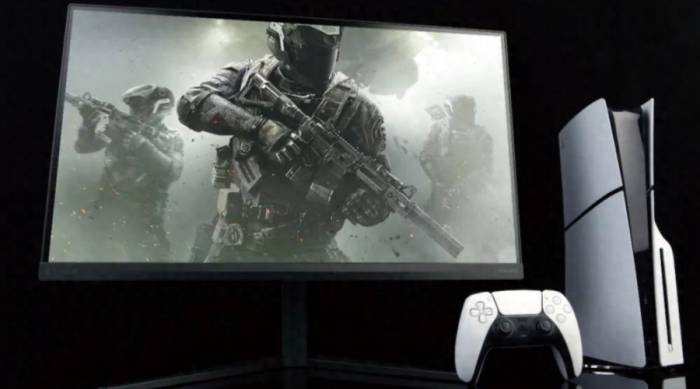
This discussion isn't just for PC. The PS5 requires a Gen4 NVMe SSD with a minimum sequential read speed of 5500 MB/s and a specific physical size (with a heatsink). Here, the "gaming SSD" requirements are explicit. A regular, heatsink-less SSD might physically fit but would overheat and throttle inside the console's compact chassis, hurting performance. For consoles, the integrated heatsink isn't a luxury; it's a non-negotiable part of the spec, making any compatible drive a de facto "gaming" model.
When Should You Actually Buy a Gaming SSD?
Not every build needs the most expensive drive. Here's my take after building dozens of systems.
You should prioritize a gaming SSD if: This is your primary drive for your OS and favorite games. You play modern, open-world titles (Starfield, Alan Wake 2, Horizon Forbidden West) that heavily stream assets. You hate any form of stutter or pop-in. You have a PCIe 4.0 or 5.0 motherboard and want to leverage it. You're installing an SSD in a PS5.
A regular SSD is perfectly fine for: A secondary game library drive for older or less demanding titles. A budget-focused build where every dollar counts for the GPU or CPU. General use PCs, media storage, or as a fast download drive.
I made the mistake once of putting a cheap, DRAM-less NVMe drive as the main drive in a friend's gaming rig. On paper, it was fast. In practice, Windows felt snappy, but certain games had this subtle hitching that we couldn't pin down until we swapped the drive. The GPU and CPU were bored, waiting on data. It was a classic storage bottleneck.
Cutting Through the Hype: A Buyer's Checklist
Don't just look for "Gaming" in the title. Look for these specs in the product details:
Interface: NVMe PCIe 4.0 x4 is the current sweet spot. PCIe 5.0 is overkill for most, running very hot.
Controller & NAND: Hard to find, but reviews from sites like AnandTech or Tom's Hardware will mention if it uses a known high-performance controller and TLC NAND.
DRAM: Confirm it has a DRAM cache. If the spec sheet is silent, it probably doesn't.
Heatsink: Does your motherboard have a built-in M.2 heatsink? If not, buy a model with one attached. It's worth it.
Endurance (TBW): A 1TB drive with 600 TBW is standard. 1200 TBW or more is excellent.
Warranty: 5 years is the benchmark for a premium drive.
You absolutely can, and it's still a massive upgrade from a hard drive. The experience will be good, not great. You'll get much faster load times than an HDD, but you'll hit the SATA interface limit (~550 MB/s). The random read performance, which matters most after the initial load, will be lower than a good NVMe drive. For a budget build or a secondary drive, a SATA SSD is a solid, cost-effective choice. For your main gaming drive in a new system, I'd lean towards NVMe if your motherboard supports it.
In my experience, yes, it's one of the most critical differentiators. DRAM-less drives use host memory buffer (HMB), which borrows a tiny bit of your system RAM. It works, but it's not as fast or efficient as dedicated DRAM on the drive itself for managing the file mapping table. Under heavy, random game loads, a DRAM-less drive can show higher latency and more variable performance. If smoothness is your goal, pay the small premium for a drive with DRAM.
The difference is smaller but still present. Competitive shooters have smaller, more optimized maps that load entirely into RAM. Once you're in a match, the SSD's job is mostly done. The benefit comes from loading the game client and the map at the start much faster, getting you from desktop to the lobby quicker. It won't affect your in-game ping or framerate during gameplay. For these titles, a fast regular SSD is often sufficient.
It's not always a dramatic 2x difference. Moving from a hard drive to any SSD is a 5x-10x improvement. Moving from a SATA SSD to a fast NVMe gaming SSD might shave another 30-50% off load times in some games. For example, a 45-second load might become 30 seconds. The more significant gain, as I've stressed, is the reduction or elimination of stutter during gameplay, which isn't measured by a simple load screen timer.
Not unless you're building an extreme, no-compromise rig with a high-end X670E or Z790 motherboard. PCIe 5.0 SSDs are currently in their early adopter phase. They run extremely hot, require massive heatsinks (often too big for some cases or motherboards), and are prohibitively expensive. Crucially, no game is bottlenecked by the speed of a good PCIe 4.0 drive today. The PCI-SIG, the group that develops the standard, hasn't seen game engines evolve to saturate that bandwidth yet. By the time they might, PCIe 5.0 drives will be cooler, cheaper, and more refined. For a gaming build in 2024, a top-tier PCIe 4.0 SSD is the smart buy.